Choose your starting design
Explore the website templates and preview the layout before installing a design. Add your business information and the photos customers need to understand your offer.

Start with a design that fits your business, then use Website Studio to shape the pages, images, and content. Your saved edits stay private until you choose to publish.
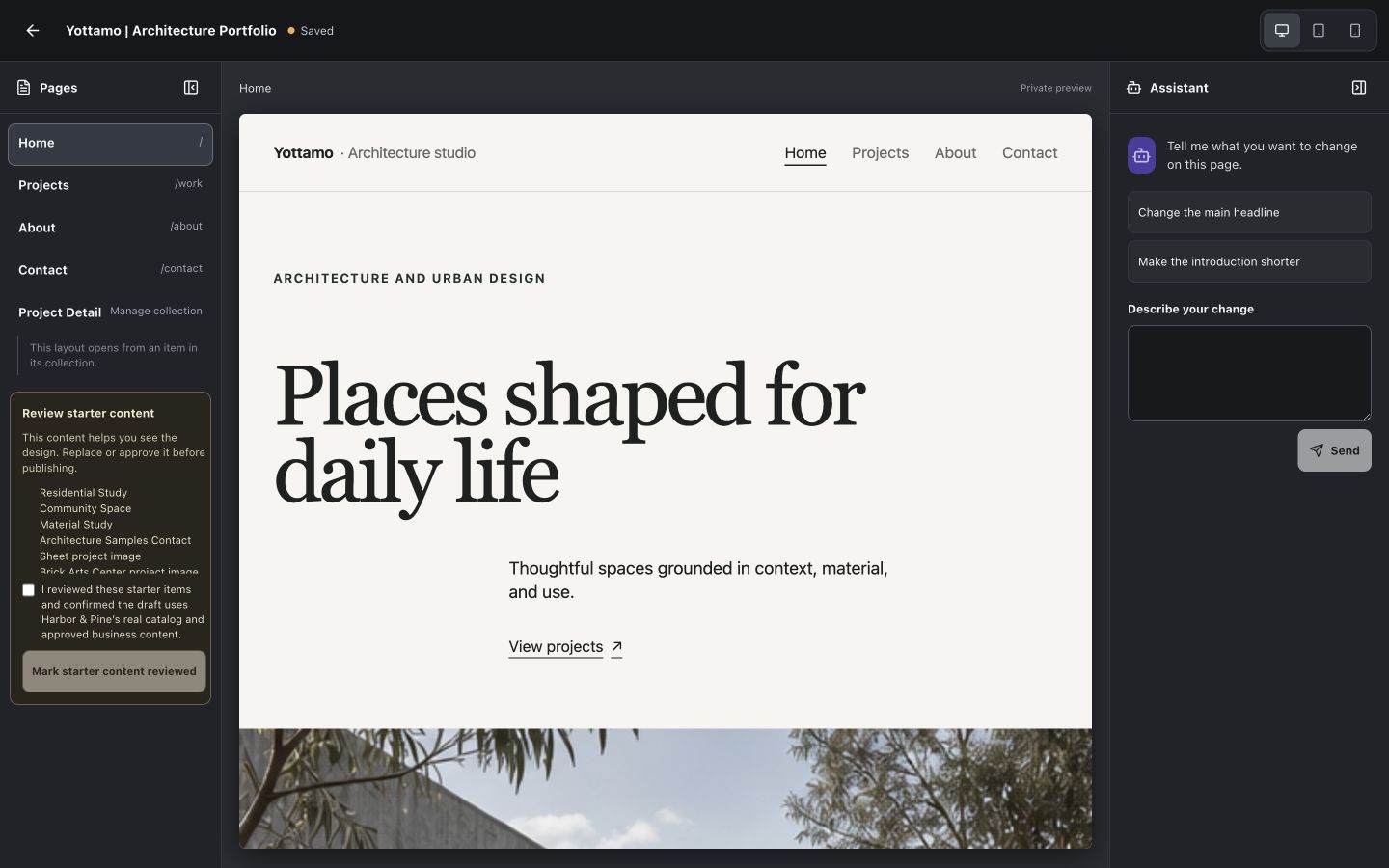
Explore the website templates and preview the layout before installing a design. Add your business information and the photos customers need to understand your offer.
Edit page content or ask AI to help with supported changes. Preview the result, review the wording, and use Save changes to keep the draft. Set page search titles, descriptions, and sharing images in Search & sharing.
Check the design and website address, then follow the publishing review. Saving a draft does not change a live website. Existing external hosting can stay in place while you consider a transfer.
A local shop can present its catalog, a service business can explain what it offers, and a portfolio can show completed projects. Choose supported template features, replace sample content with your own, and preview the pages before you share them with customers.
Website launch and hosting have their own charges; see current pricing before committing. AI assistance requires permission to process the relevant content. Publishing supplies crawlable pages and search metadata, but search engines decide whether and where to list them.
View current plans and pricing